iPhone, Android and MacBook
One chat — a screenshot from an iPhone 1206×2622, an Android 1080×2424 or a MacBook 2940×1912, with the Dock and the menu bar. Like a real screen capture.
Type messages like in a regular chat and get a screenshot you can’t tell from a real one: Telegram, WhatsApp or Instagram, from an iPhone or Android. Don’t feel like typing? Ask AI or bring a chat in from screenshots.
01Typed.02Styled.03Sent.
The screenshot goes to a chat, to a channel or on schedule. It usually takes about a minute.
Features
Sizes, fonts, spacing and ticks are taken from the real Telegram, WhatsApp and Instagram. Edit with a finger or a mouse, just like in the messenger.
Type messages one after another — the time fills in by itself. Or paste a chat as text and Replika sorts it into sides.
A long press opens reactions and actions. Swipe left to reply with a quote. Hold a bubble and drag to reorder it or switch sides.
Describe the chat in a few words. The phone flips over while AI writes and comes back with a lively dialogue — in the manner of the messenger you picked.
Drop in up to 10 screenshots of a real chat and get it back editable, with reactions and replies.
The whole chat and the messenger’s interface are translated. Up to 14 languages; names and times stay in place.
Duck and Gem in Telegram, light and dark in WhatsApp and Instagram: everything changes in one tap. You can set your own photo.
Frames go in order, as if scrolling the phone, and every message is whole in at least one. You get an album or an archive.
The post goes out by itself at the right time. And “Flow” fills the channel with mockups a week ahead.
Three messengers · iPhone and Android
The chat is the same, only the look changes. Type a message — it appears in all three.
One chat — a screenshot from an iPhone 1206×2622, an Android 1080×2424 or a MacBook 2940×1912, with the Dock and the menu bar. Like a real screen capture.
Finds what gives a fake away: time, ticks, “last seen recently”. And fixes it right away.
Voice messages with transcripts, video notes, photos with captions, replies and reactions.
Copies of the chat with different names, times and wallpapers.
A Mini App in the bot: nothing to install, gestures like in Telegram, the screenshot arrives in the chat.
Wallpapers, patterns and bubble colours are taken from the real apps: Telegram themes, light and dark for WhatsApp and Instagram.
Both the chat and the messenger’s interface are translated: 14 languages for Telegram, 13 for WhatsApp, 11 for Instagram.
Platforms
One account for everything: stickers, the post queue and screenshots are shared. Start on the computer, finish on the phone.
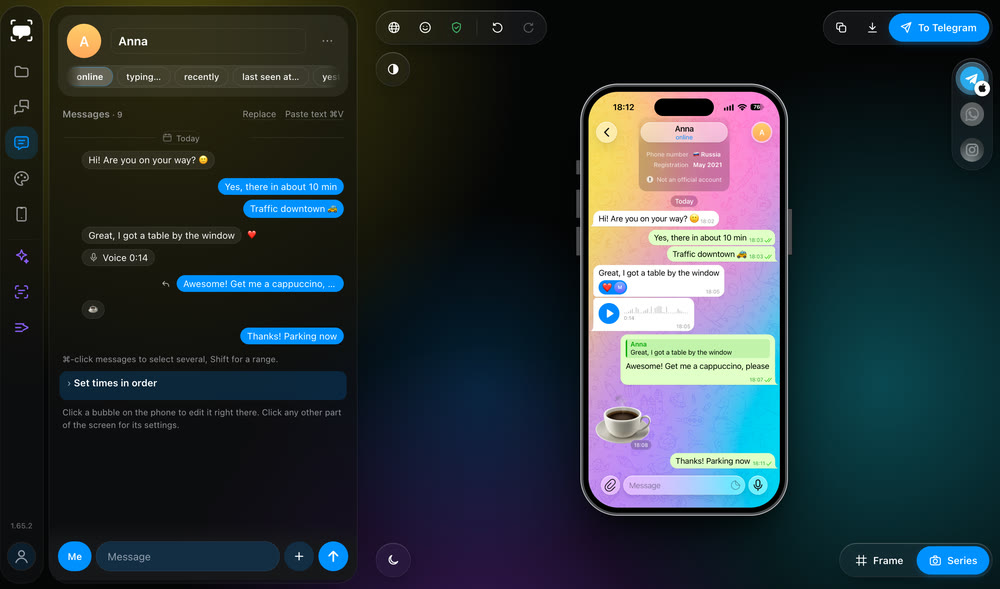
macOS 12 or later, Apple Silicon
Windows 10 and 11
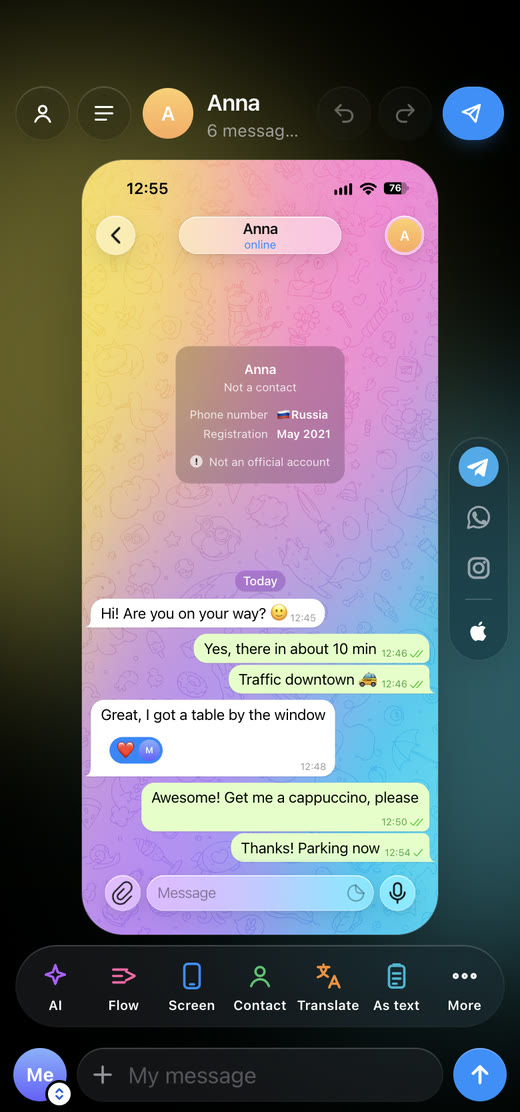
A Mini App in the bot, nothing to install
One account for everything: start on the computer — finish on the phone. How to install →
Under the glass
Keep scrolling: the screen comes apart into layers, and Telegram, Instagram and WhatsApp, dark and light, take turns on them. Background, patterns, bubbles, header and input field are taken from the real apps and checked pixel by pixel.
Install
Replika isn’t signed by Apple or Microsoft yet, so the system will ask on first launch. That’s normal — every step is below.
FAQ
The same answers and GIFs as @replikatgbot, and the same look. Tap a question — the answer appears right here.
Telegram, WhatsApp and Instagram — like a screen capture from an iPhone 17 (1206×2622) or Android (Pixel 9, 1080×2424). Pick the messenger and the phone by their logos: on desktop — to the right above the phone, in the Mini App — in the capsule next to the phone. MacBook Air (2940×1912, with the Dock and the menu bar) — for Telegram, in the desktop app.
A long chat becomes several screenshots in order, as if you were scrolling the phone. “To Telegram” → “Screenshot series”: you see the frames in advance, and every message is whole on at least one. They go out as an album or as one archive.
Send up to 10 screenshots of a real chat — Replika rebuilds the dialogue so you can edit it. In the Mini App: “As text” → “From screenshots”. On desktop — the “Shots” tab.
Long-press a message for reactions and actions. Swipe left to reply. Hold and drag to reorder or move to the other side. Tap a message’s time for the wheel, tap the clock at the top for signal and battery.
Add me to a channel as an admin, or to a group as a member. “Where” appears in the send window; “When” → “Later” — the post goes out by itself. “Flow” queues a whole batch of posts on a schedule. The list — /queue.
Need a posting grid by day? That’s Ritm: forward a screenshot from the bot chat to @ritmtgbot.
You do this once: after that screenshots arrive here, and stickers and the post queue are shared with the phone. No sign-in is needed in the Mini App — you’re already in your account there.
macOS is cautious with apps that aren’t signed by Apple — that’s normal.
Only you. Chats are stored on your side: on the computer or in Telegram on the phone. Screenshots pass through our server straight to the chat and aren’t saved; scheduled ones are deleted right after sending. For AI, translation and recognition the text goes to a neural network only for the duration of the request — we don’t keep it.